ViewFinity

There are three monitors on platforms with 'Expand Your Creative Realm' message above them.

There is a monitor with an image editing program and 'ViewFinity the monitor for designers' message overlays on it. And then it turns into two other monitors with a message of 'professionals'. One of them is rotating vertically. And then, an ultrawide monitor with a video editing program appears with 'creators' message. Lastly, three monitors on platforms appear with 'Expand Your Creative Realm' message above them.

  • A person sits at a desk with a Samsung ViewFinity monitor displaying a vibrant image of a dancer in an editing interface. The monitor is mounted on an Easy Setup Stand, surrounded by a keyboard, mouse, and a smaller laptop on the right.

    Realistic color for
    your work

    Realistic color for your work

    Experience a monitor with exceptional color accuracy, suitable for photo editing and graphic design. See real-life colors come to life on your screen.

    Learn more
  • Samsung ViewFinity moniitor displays architectual designs in a modern workspace setup. The monitor is placed on a sleek black desk, surrounded by a keyboard, mouse, and minimal décor in a creative work environment.

    Versatile screens to
    suit your needs

    Versatile screens to suit your needs

    Unlock your creative potential with the versatile ViewFinity monitor lineup. Available in a range of sizes and resolutions, it’s the perfect choice for video editing and other creative tasks that demand clarity and precision.

    Learn more
  • A person stands at a desk with dual Samsung ViewFinity monitors, one in landscape and the other in portrait mode, displaying vibrant images in a photo editing interface. A camera, keyboard, and mouse are on the desk, showcasing a productive, ergonomic setup.

    Ergonomic comfort
    for
    your setup

    Ergonomic comfort for your setup

    Elevate your productivity with the ergonomic design of ViewFinity. Built for maximum comfort and equipped with multiple connectivity options, the ViewFinity series offers a computer monitor for editing photos that fits your environment.

    Learn more

Unmatched Color
Accuracy

A vibrant, colorful jellyfish displayed on a Samsung ViewFinity screen with a darker background, highlighting the monitor's color accuracy with a color spectrum graph(which represents the coverage from 0.0 to 0.8) in the lower-right corner showing the DCI-P3 and sRGB color space coverage.
Wide color gamut
up to sRGB 115%

The ViewFinity series covers 99% to 115% of sRGB for vibrant, accurate colors.1 Additionally, the S9(S9 5K) model achieves 99% of the DCI-P3 standard, delivering richer, more vibrant colors with exceptional precision and accuracy.

A small dog peeking out from under a colorful, striped blanket, with Pantone color swatches displayed on different parts of the blanket. They highlight the Pantone ValidatedTM and Pantone SkinTone ValidatedTM color accuracy of the Samsung ViewFinity monitor.
Pantone
Validated
colors

With Pantone Validated and Pantone SkinTone Validated certifications, the ViewFinity series accurately reproduces Pantone Matching System (PMS) colors, ensuring reliable and precise color accuracy.2

Comparison of Standard Dynamic Range (SDR) and High Dynamic Range (HDR) on a Samsung ViewFinity monitor. A woman is standing between two rocky cliffs with vibrant colors and enhanced details on the HDR side. A slider in the center contrasts the differences in brightness and color depth between 8-bit SDR and 10-bit HDR.
Brilliance with HDR
and 1 billion colors

The ViewFinity series, compliant with HDR standards like HDR 10, VESA HDR400, and VESA HDR600, delivers exceptional color accuracy.3, 4 Experience over 1 billion colors on high-resolution monitors ranging from QHD to 5K.

Find your ideal size
and resolution

Discover stunning clarity with high-resolution monitors ranging from QHD to 5K.
Choose from a variety of aspect ratios of 16:9, 21:9, and 32:9, and sizes designed to support productivity and comfort across different task.

Convenience
Meets Versatility
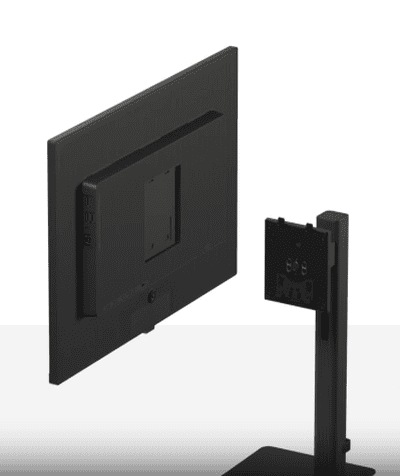
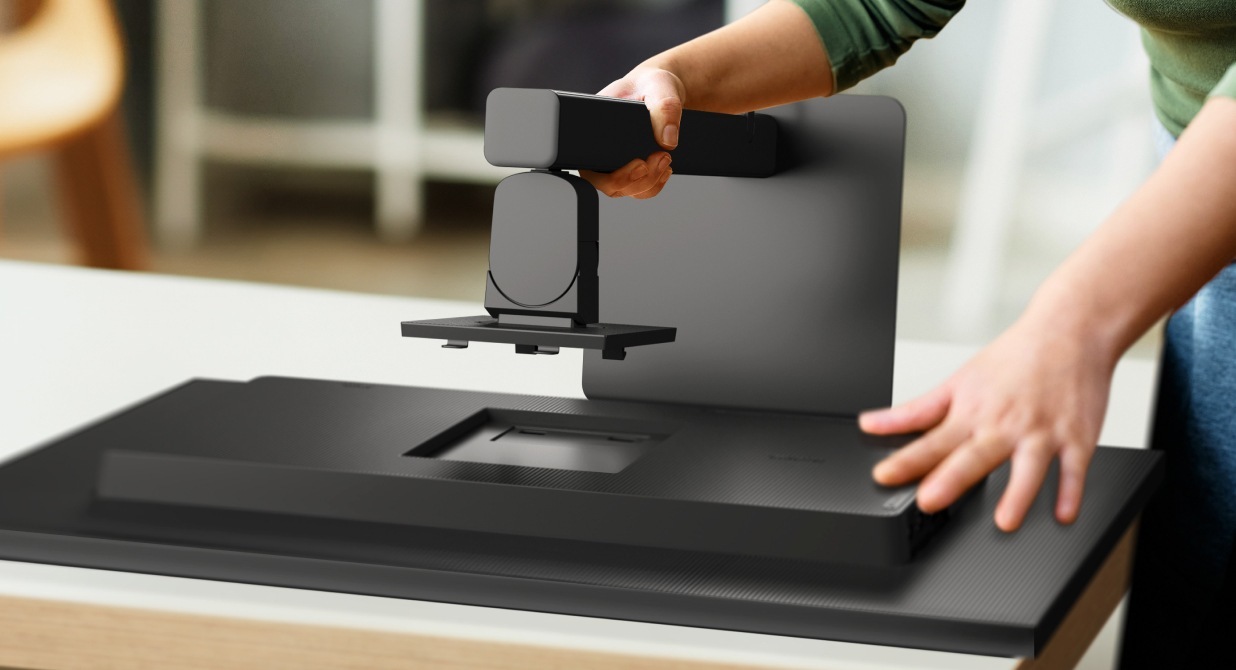
A Samsung ViewFinity monitor being assembled using the Easy Setup Stand. It is a tool-free installation process, with a user effortlessly attaching the rear of the monitor to the stand. The setup provides flexible viewing options for convenience and versatility..

A ViewFinity monitor is being assembled without any tools, thanks to the Easy Setup Stand.

Easy Setup Stand5

Effortless installation with the Easy Setup Stand. No tools or screws needed—setup is simple right out of the box and offers flexible viewing options at the push of a button.
A Samsung ViewFinity monitor being assembled using the Easy Setup Stand. It is a tool-free installation process, with a user effortlessly attaching the rear of the monitor to the stand. The setup provides flexible viewing options for convenience and versatility.
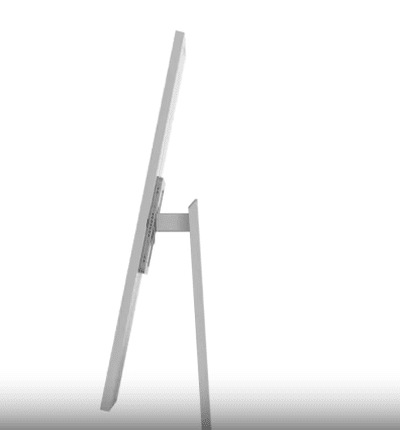
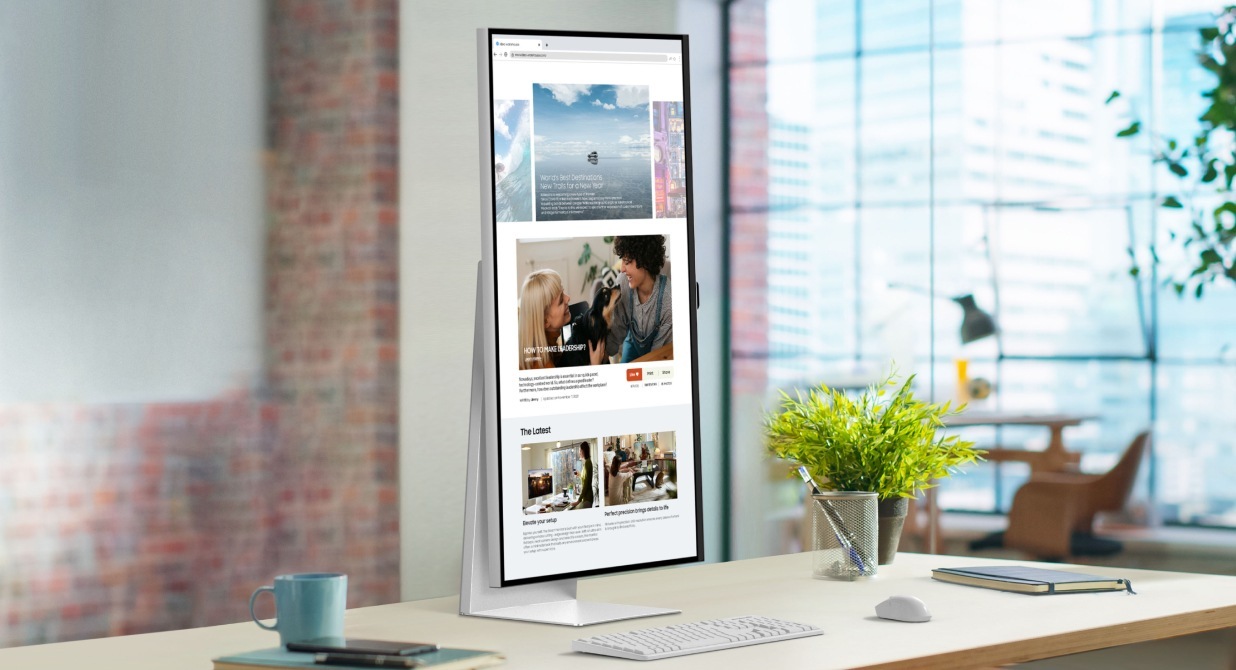
A Samsung ViewFinity monitor sits on a desk in portrait mode, displaying a webpage in a bright, modern office environment. The ergonomic design allows for height adjustment, as well as pivot, swivel, and tilt options to ensure comfortable use tailored to the user's preferences.

Ergonomic Design

A Samsung ViewFinity curved monitor surrounded by a laptop, tablet, and phone on a desk. The monitor display has a split-screen with a photo editing interface on the left and a presentation on the right. Multiple connectivity options, including USB-C, Thunderbolt, HDMI, and DisplayPort are showcased to connect to nearby devices.

A ViewFinity monitor is rotating vertically, and tilting, and moving back to horizontal mode. And its height is being adjusted.

Experience maximum comfort with an ergonomic monitor, which features a height-adjustable stand with pivot, swivel, and tilt options to perfectly match your preference.6

  • Thunderbolt
  • USB-C
  • HDMI
  • Display Port
  • USB-A
  • LAN
  • USB-B
  • Headphone

Multiple connectivity options7

Featuring the connections creators need, including USB-C, Thunderbolt, DisplayPort and LAN ports. The ViewFinity series easily connects to external devices and accessories in the workspace.
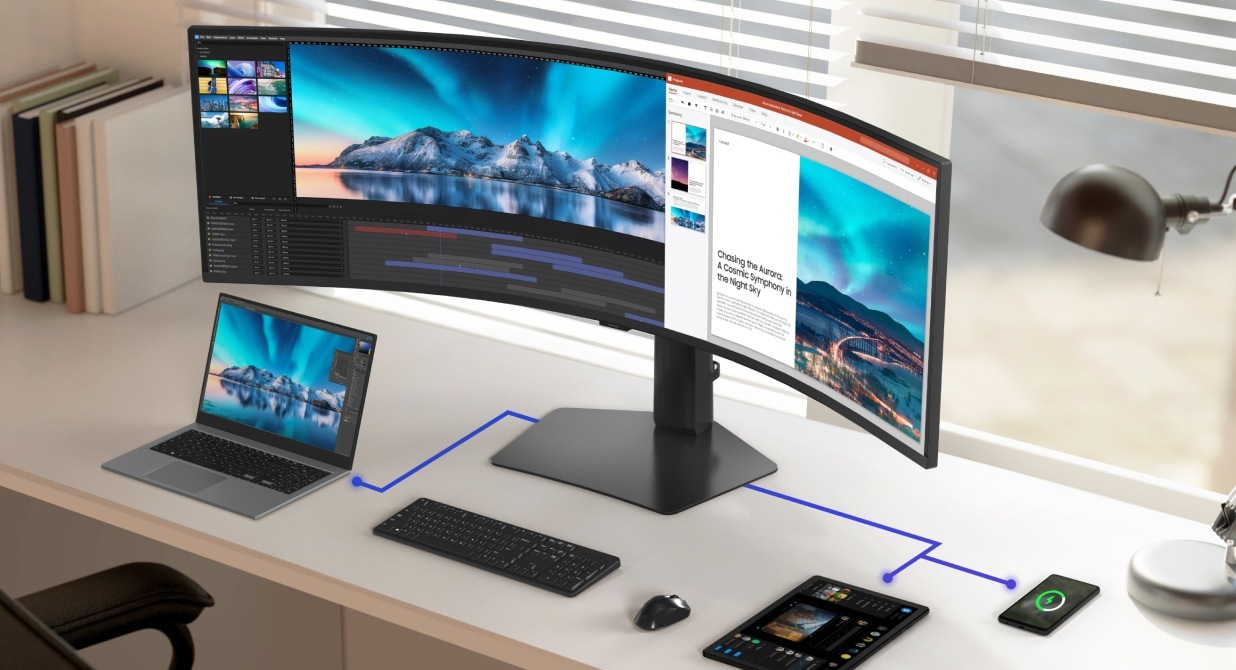
A Samsung ViewFinity curved monitor surrounded by a laptop, tablet, and phone on a desk. The monitor display has a split-screen with a photo editing interface on the left and a presentation on the right. Multiple connectivity options, including USB-C, Thunderbolt, HDMI, and DisplayPort are showcased to connect to nearby devices.
A Samsung ViewFinity monitor being assembled using the Easy Setup Stand. It is a tool-free installation process, with a user effortlessly attaching the rear of the monitor to the stand. The setup provides flexible viewing options for convenience and versatility..

A ViewFinity monitor is being assembled without any tools, thanks to the Easy Setup Stand.

A Samsung ViewFinity monitor being assembled using the Easy Setup Stand. It is a tool-free installation process, with a user effortlessly attaching the rear of the monitor to the stand. The setup provides flexible viewing options for convenience and versatility.

Easy Setup Stand5

Effortless installation with the Easy Setup Stand. No tools or screws needed—setup is simple right out of the box and offers flexible viewing options at the push of a button.

A Samsung ViewFinity curved monitor surrounded by a laptop, tablet, and phone on a desk. The monitor display has a split-screen with a photo editing interface on the left and a presentation on the right. Multiple connectivity options, including USB-C, Thunderbolt, HDMI, and DisplayPort are showcased to connect to nearby devices.

A ViewFinity monitor is rotating vertically, and tilting, and moving back to horizontal mode. And its height is being adjusted.

A Samsung ViewFinity monitor sits on a desk in portrait mode, displaying a webpage in a bright, modern office environment. The ergonomic design allows for height adjustment, as well as pivot, swivel, and tilt options to ensure comfortable use tailored to the user's preferences.

Ergonomic Design

Experience maximum comfort with an ergonomic monitor, which features a height-adjustable stand with pivot, swivel, and tilt options to perfectly match your preference.6

A Samsung ViewFinity curved monitor surrounded by a laptop, tablet, and phone on a desk. The monitor display has a split-screen with a photo editing interface on the left and a presentation on the right. Multiple connectivity options, including USB-C, Thunderbolt, HDMI, and DisplayPort are showcased to connect to nearby devices.

Multiple connectivity options7

Featuring the connections creators need, including USB-C, Thunderbolt, DisplayPort and LAN ports. The ViewFinity series easily connects to external devices and accessories in the workspace.

  • Thunderbolt
  • USB-C
  • HDMI
  • Display Port
  • USB-A
  • LAN
  • USB-B
  • Headphone

Choose your perfect ViewFinity

Model
  1. Specific color gamut coverage and standards may vary by model. Please refer to individual model specifications for detailed information.
  2. The feature is specific to S9 5K and S80PB.
  3. Specific HDR standards may vary by model. Please refer to individual model specifications for detailed information.
  4. Screen images simulated for illustrative purposes.
  5. The feature is specific to S80UD, S80D, S70D, S60UA, and S60A.
  6. Detailed specifications may vary by model.
  7. Input options may vary by model.

* Images shown here are for representational purpose only, actual may vary. All features, specifications and prices are subject to change without prior notice. Model availability may vary from location to location.